
Share Vendor Lists via QR Code (Pro)
This article outlines the steps to share a list by generating and downloading a QR code for easy access.
Updated October 21, 2025
This feature is only available for Pro Tier users.
Key Steps
Accessing your My List, My Favorites List, or Cart
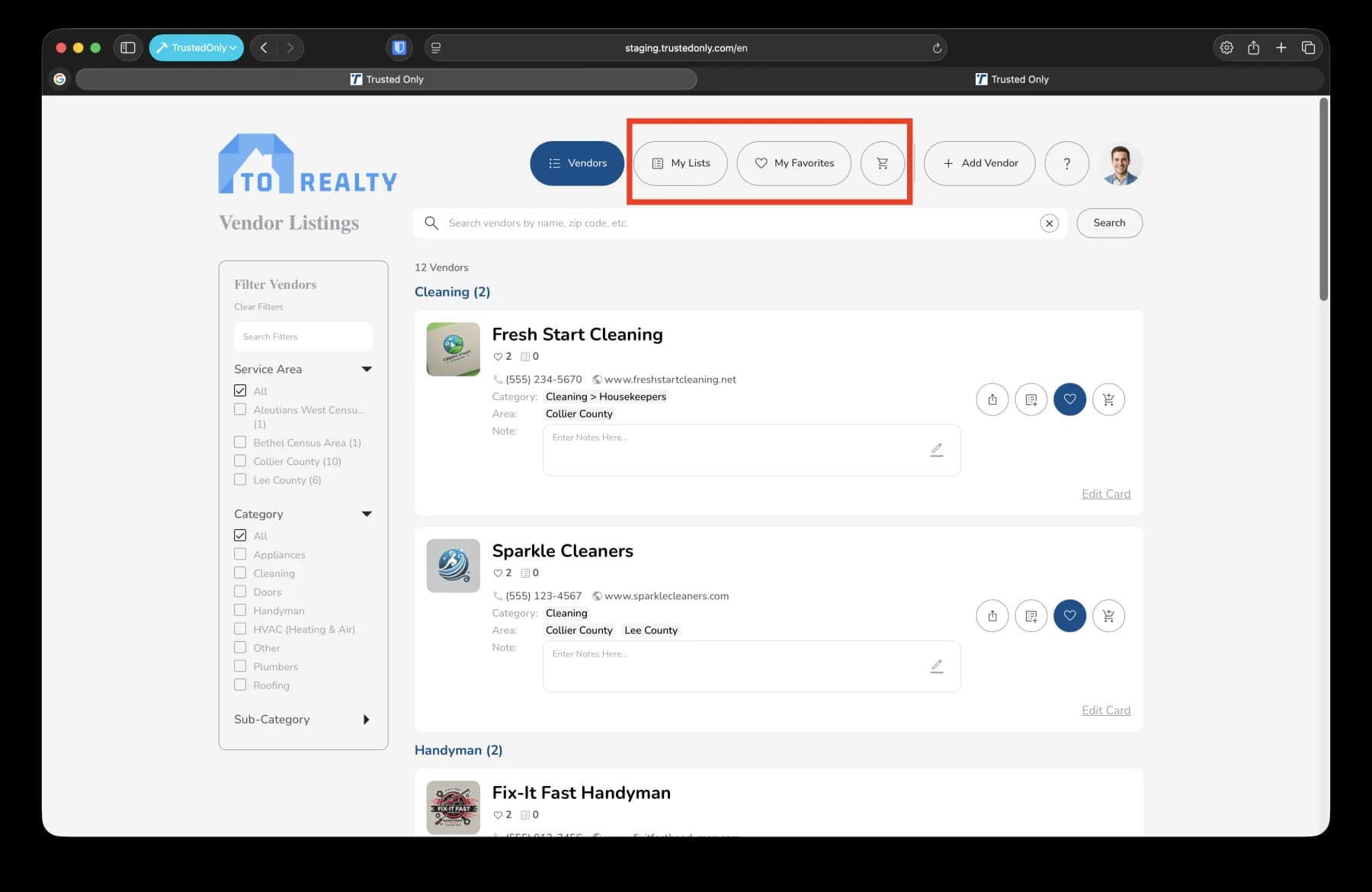
Open the application or platform where your favorites list is located.
Navigate to the 'My Lists', 'My Favorites' or 'Cart' section.
Generating the QR Code
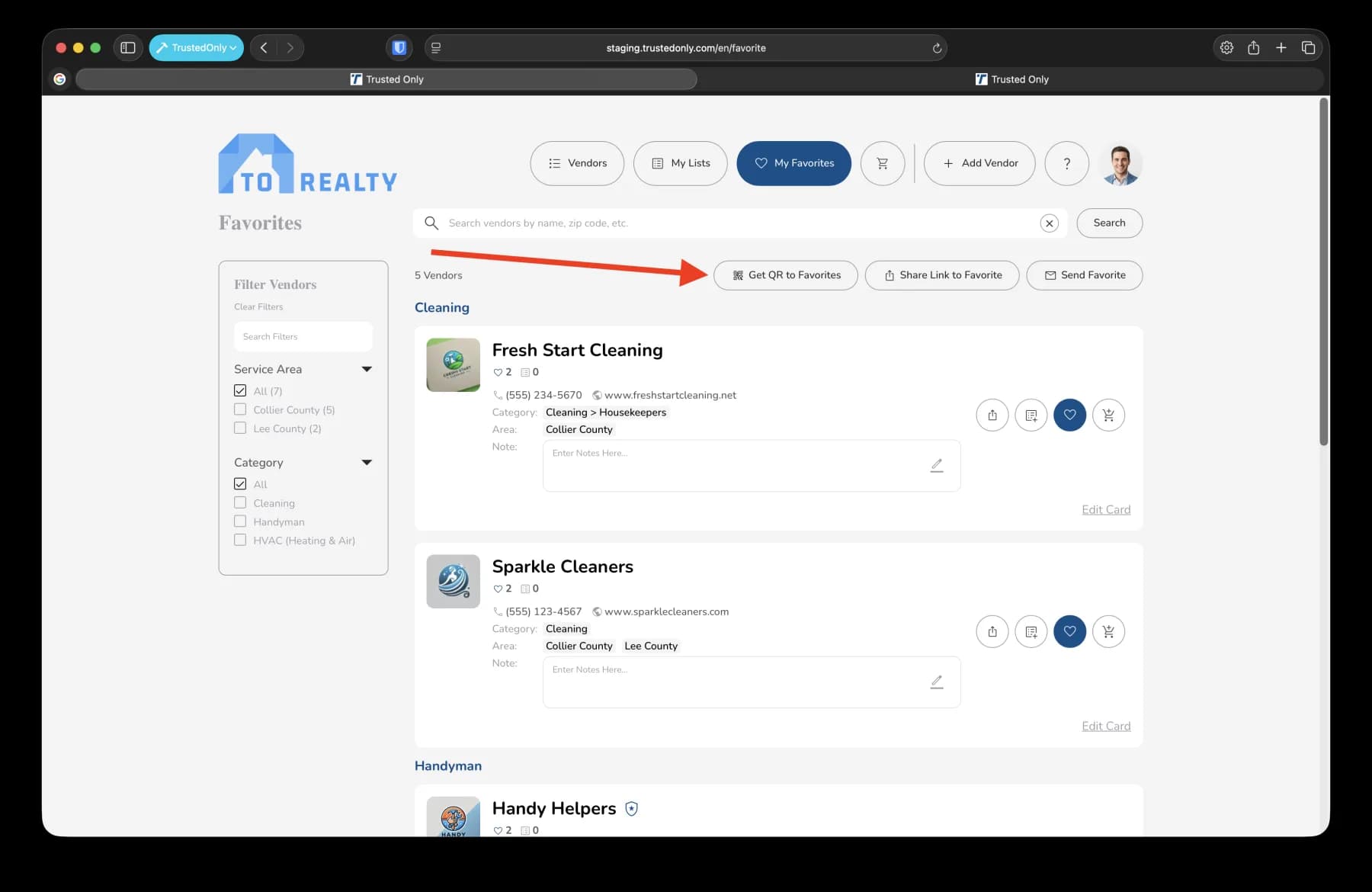
Locate and select the option to generate a QR code for your favorites list.
A modal window will appear displaying your QR code.
Copying or Downloading the QR Code
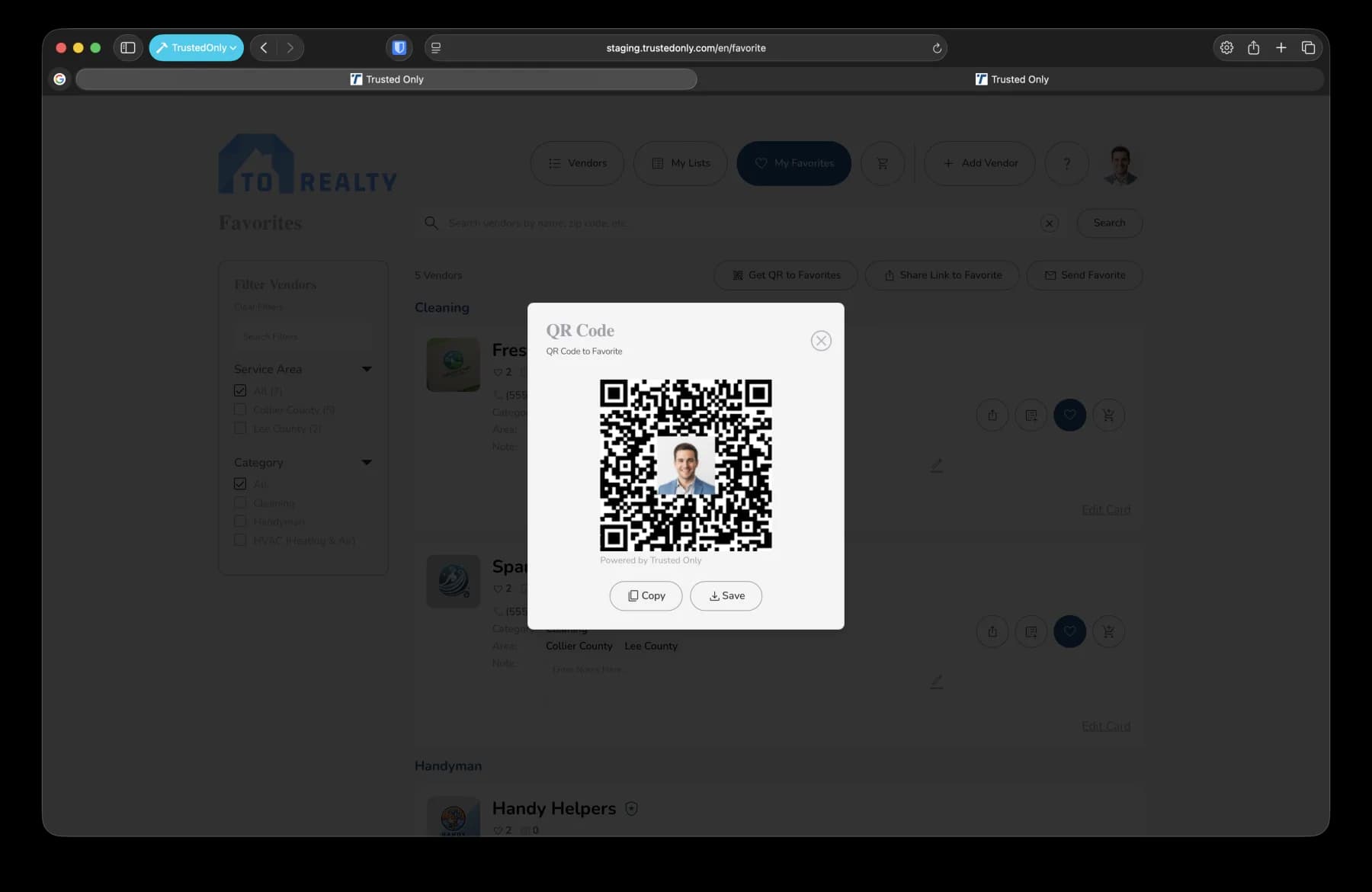
To copy the QR code:
Click on the 'Copy' button to copy the QR code to your clipboard.
To download the QR code:
Click on the 'Save' button to download the QR code image to your computer.
Was this article helpful?
If you still need help, our support team is ready.